Why Web Scraping Needs Proxy IPs: Types and IPFoxy Setup
Proxy IPs spread requests across many exits and let you load pages as a local visitor. They do not stop rate limits. This guide compares four proxy types and shows a tested Python setup with IPFoxy.
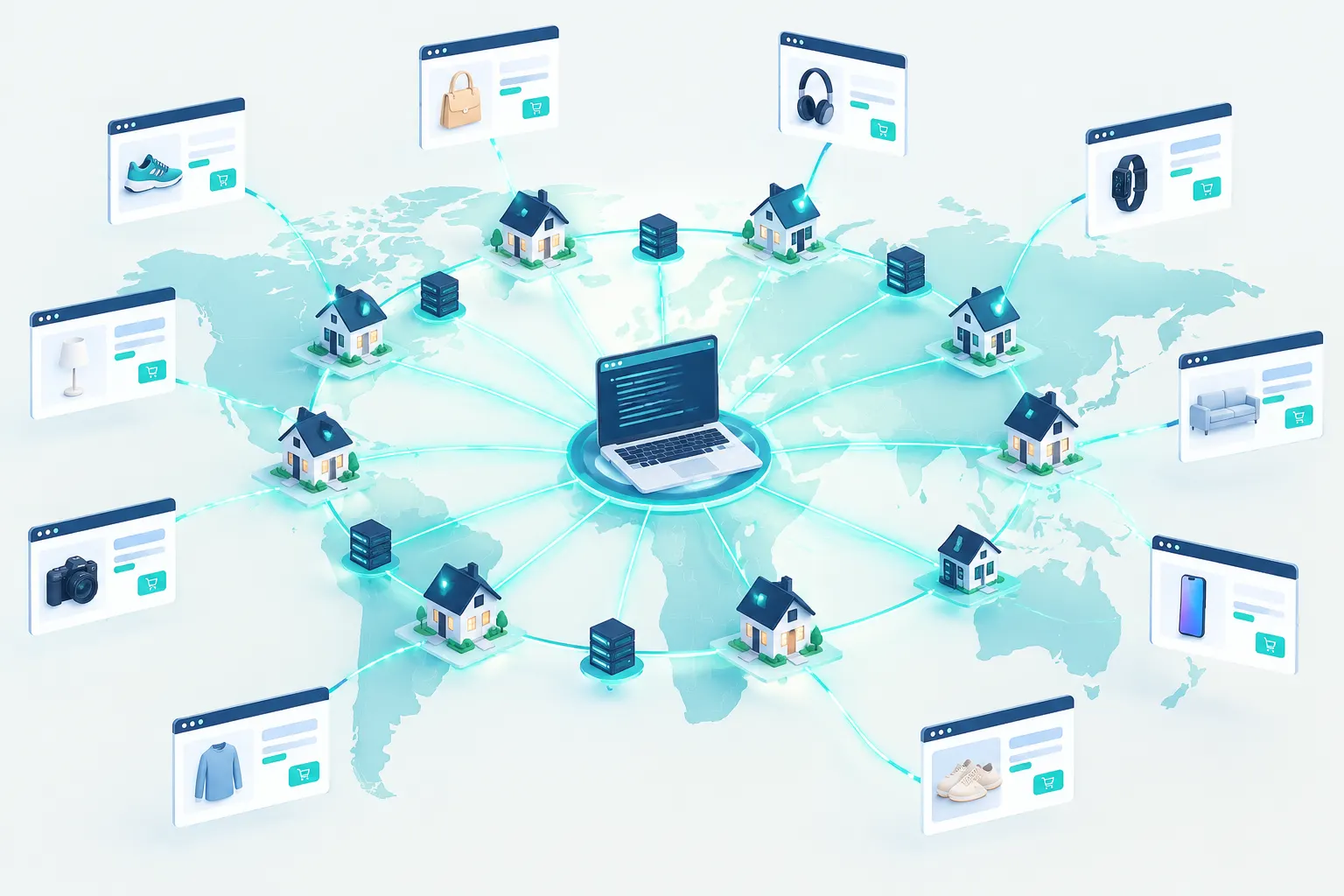
Web scraping is a common way to collect public web data for price monitoring, SEO, market research and social media analysis.
A job can grow from a few pages to thousands of requests. Then new problems start: blocked IPs, HTTP 429 errors, rate limits and pages that change by region. The scraper code can be correct and the job can still fail or return incomplete data.
Proxy IPs help with these problems. This guide explains why scrapers use proxies, how the proxy types differ, and how to set up IPFoxy proxies for a data collection job.
1. Why does web scraping need proxy IPs?
A proxy server forwards your request. The target site sees the IP address of the proxy exit, not the public IP of your own machine.
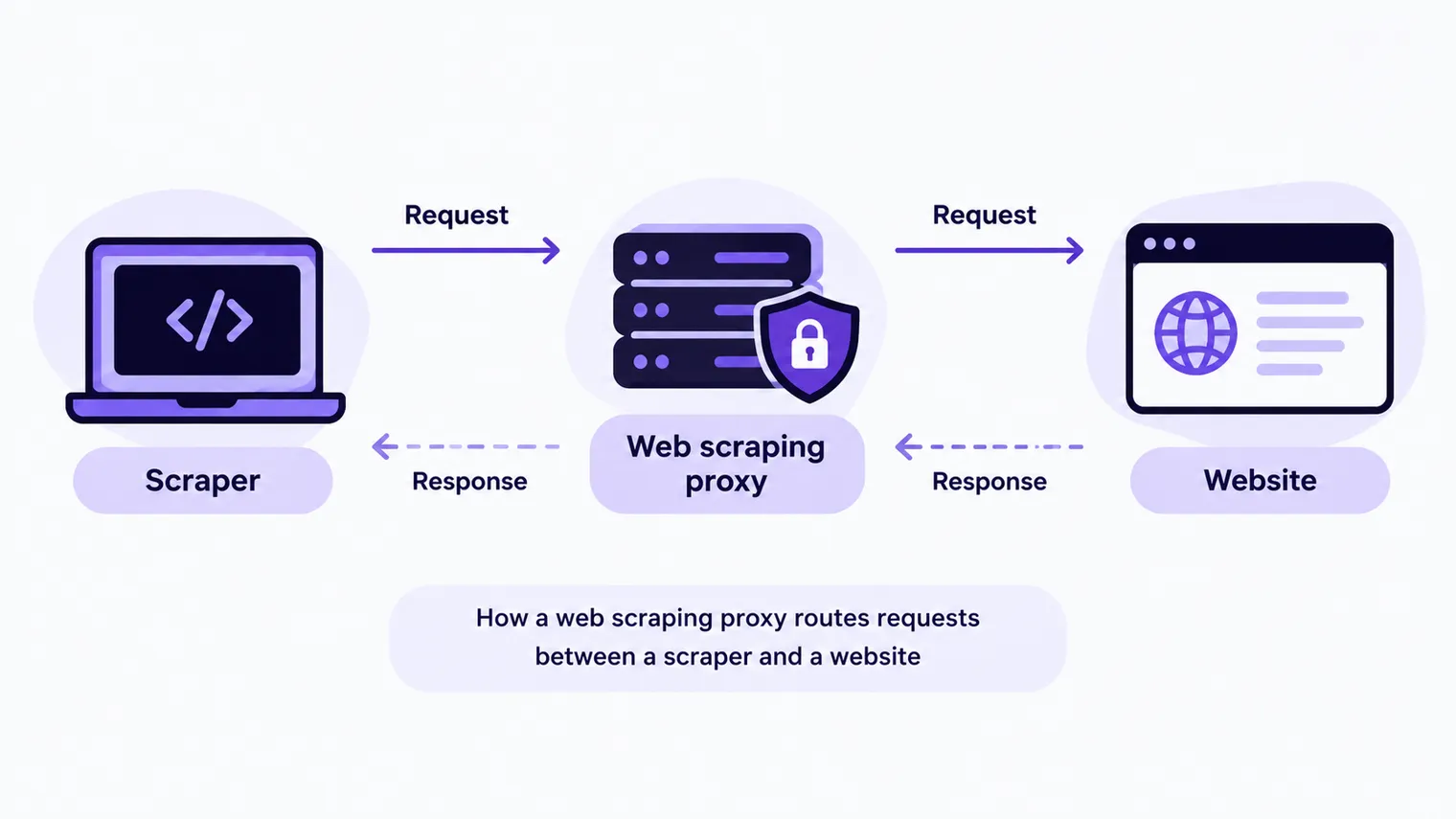
A person who browses the web uses one network exit. A data collection job that runs all day can have these problems with one IP:
Less load on a single IP
A scraper can send many requests to the same site in a short time. The server can then limit it by IP address, request rate or request behavior. Common signs:
- HTTP 429 Too Many Requests: the server thinks you sent too many requests. The standard lets the server add a
Retry-Afterheader that tells you when to try again. - HTTP 403 Forbidden: the server understood the request but refuses to do it.
- Timeouts or refused connections.
- A CAPTCHA page or an access warning instead of the content.
A proxy pool spreads a compliant job across many exits, so all requests do not come from one IP.
A proxy does not remove access limits. You must still set a sensible request rate and follow the site's rules, for example robots.txt (RFC 9309). When you get a 429, wait for the Retry-After time first. Do not switch IPs and retry at once.
Data from different regions
Many sites show different content by visitor location: prices, search results, ads and local services. If all requests come from one country, your data does not show the other markets.
With country, state and city targeting, you load each public page from an exit in that region. Then you can compare markets.
Long-running jobs
In long jobs, network errors, dead proxies and slow servers can stop a scraper. A stable pipeline uses proxy management, retries, timeout checks and error logs, so one bad node does not stop the whole job.
2. Which proxy type should you use?
Not every proxy type fits every job. These are the four common types:
| Proxy type | Main features | Good for |
|---|---|---|
| Rotating residential | Exits on home networks, IP rotation | Large public scraping jobs, regional data |
| Static ISP | Fixed IP, stable connection | Long sessions, jobs that need a fixed exit |
| Datacenter | Fast, lower cost | Public pages, low-sensitivity data |
| Mobile | Exits on mobile carrier networks | Mobile content tests, mobile network data by region |
For most jobs that cover many regions and run for a long time, start with rotating residential proxies. Does a job need the same session for a long time? Then use a static ISP proxy, or use sticky sessions on a rotating residential proxy.
3. What IPFoxy offers for large scraping jobs
In a real project, a proxy must do more than change your exit IP. It must give you stable, flexible and manageable network resources for jobs of different sizes, regions and types.
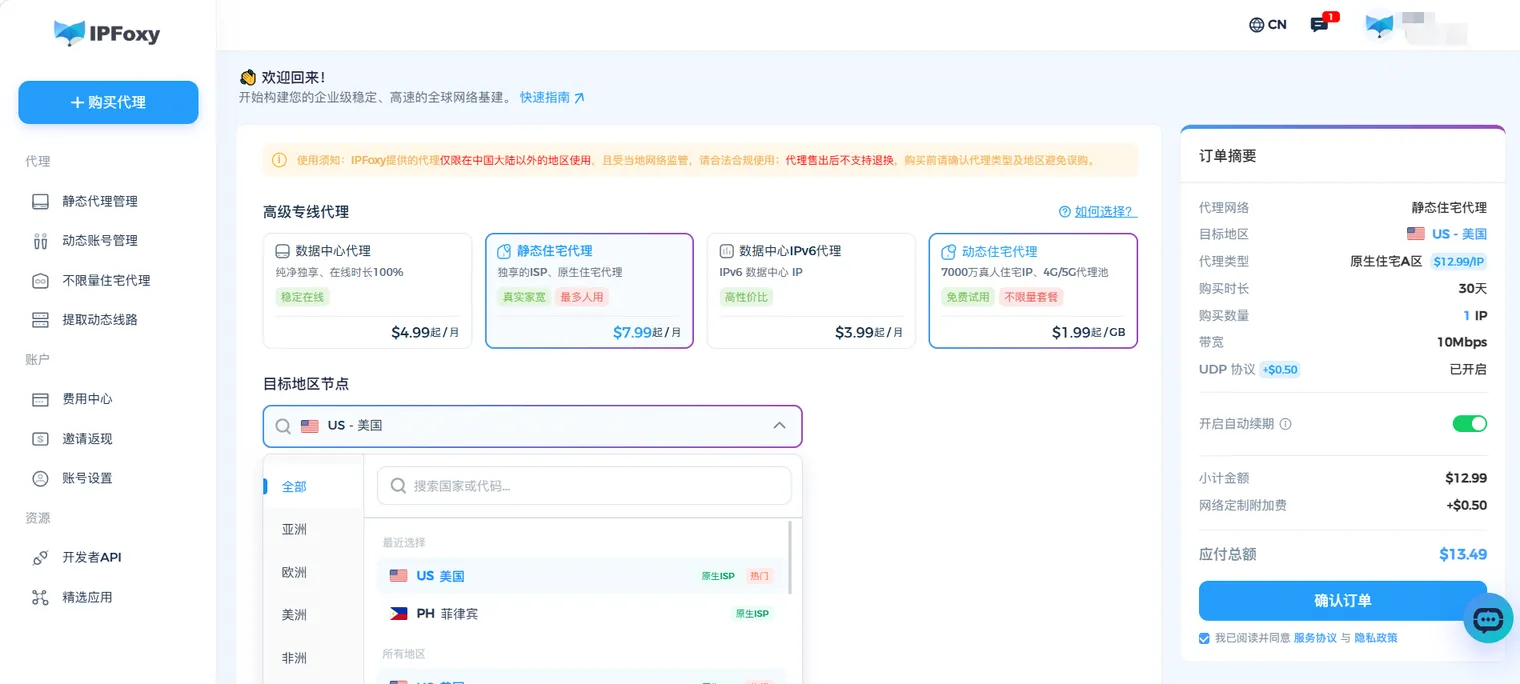
According to the IPFoxy website (checked on October 26, 2026), IPFoxy covers more than 200 countries and regions with a pool of about 90 million IPs. It offers rotating residential, dedicated static ISP, datacenter IPv4 and IPv6, and 4G/5G mobile proxies.
Residential IPs in many regions
Price monitoring, rank tracking, ad verification and market research often cover more than one country. IPFoxy supports country, state and city targeting. You pick an exit in each target market and collect the public page that local visitors see.
For example, a global price monitor can use US, UK and Japan residential proxies. It then collects the prices, promotions and search results of each market.
IP rotation modes for different jobs
IPFoxy rotating residential proxies have several ways to change the IP. You do not need to run your own proxy pool:
- Per-request rotation: each request gets a new residential IP. Use it for bulk public data that does not need a login, such as product pages and search results.
- Sticky session: you can set 30, 60, 90 or 120 minutes. The same exit IP stays while the session is valid and the node is up. Use it for jobs that need cookies, several steps or continuous access.
- Manual switch: a refresh endpoint in the dashboard changes the current exit when a node has problems.
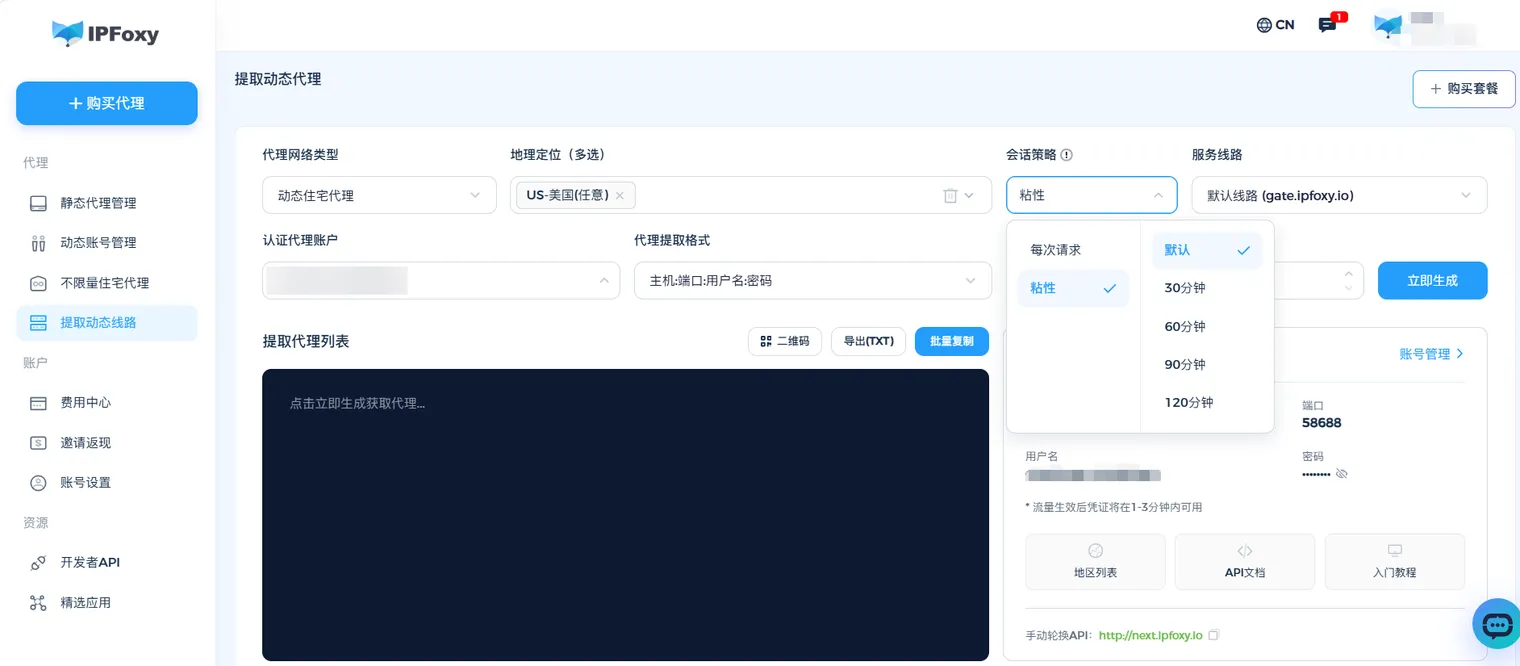
With these modes, you choose an IP strategy for each target and do not need to change scraper code or maintain IP lists by hand.
Proxy plans for different job sizes
| Job | IPFoxy proxy type | Main benefit |
|---|---|---|
| Large public scraping | Rotating residential | Large IP pool, automatic rotation |
| High-traffic, continuous jobs | Unlimited residential | Priced by bandwidth, easier cost control |
| Long sessions | Dedicated static ISP | Fixed private IP, stable over time |
| Normal public pages and APIs | Datacenter IPv4/IPv6 | Lower cost, good for bulk requests |
| Mobile content and network tests | 4G/5G mobile | Mobile carrier exits |
Unlimited residential proxies let you set bandwidth and a domain allowlist for your use case. Configure the target domains, bandwidth and plan rules before you start.
High concurrency and automation
IPFoxy supports HTTP(S) and SOCKS5, so it works with Python Requests, Selenium, Playwright, Scrapy and other common scraping tools. You can also extract proxies in bulk or through an API and export many connection strings at once.
Teams can give proxy resources to sub-accounts, control permissions and check traffic, request counts and connection success rates. You spend more time on parsing, scraper logic and data quality, and less time on running a proxy network.
Traffic and cost control
Proxy cost matters at scale. Price monitors, search result tracking and market intelligence jobs use more traffic as they grow.
IPFoxy offers rotating residential proxies billed by traffic and unlimited residential plans for high-traffic jobs. It has Asia-Pacific, Americas and other gateways (for example gate-sg.ipfoxy.io and gate-us.ipfoxy.io). Pick the gateway near where your code runs, then tune the setup with usage stats and your own tests.
4. How to use IPFoxy proxies for web scraping
This example uses Python Requests. You add the IPFoxy proxy to the request settings, and the request goes through the proxy server.
Step 1: Get your IPFoxy proxy details
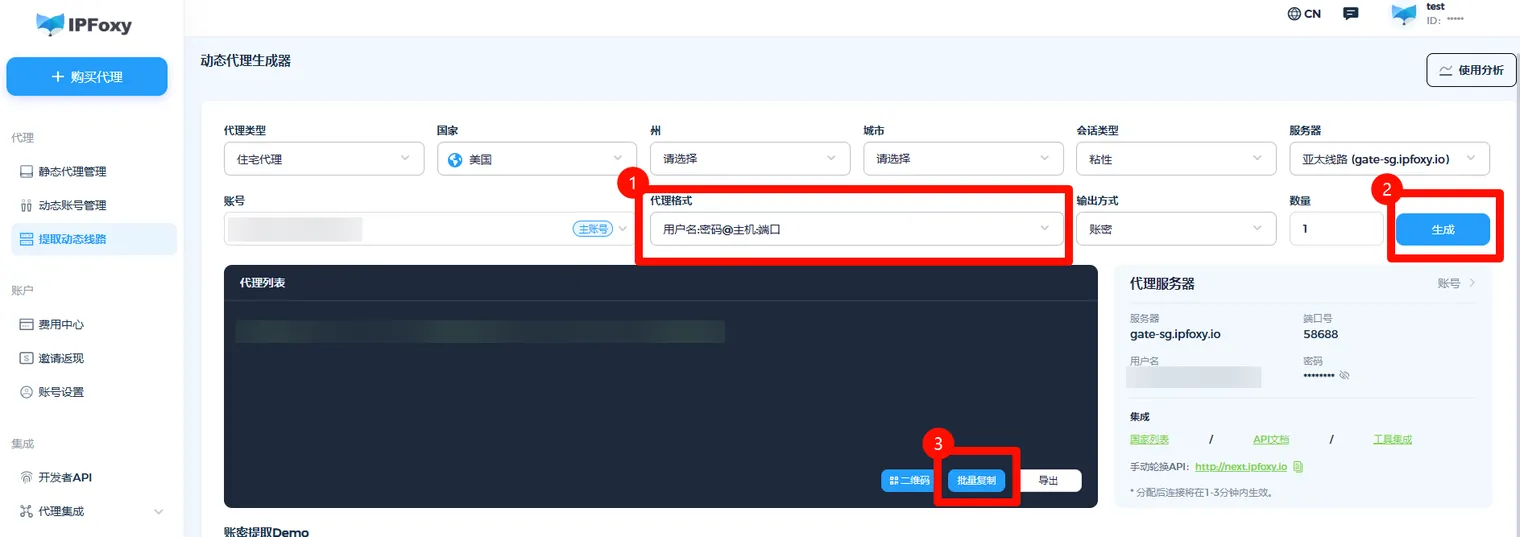
Go to the IPFoxy website, create an account and pick a proxy type. After you buy a plan or start a trial, open the proxy extraction page in the dashboard. Select a country, session type and server, set the format to "username:password@host:port", click Generate, then click Copy All.
Step 2: Install Requests
pip install requestsStep 3: Set the proxy and send a request
Paste the connection string that you copied into PROXY. The format is username:password@gateway:port. For the US gateway, it looks like username:password.
import requests

# Replace with the connection string from your IPFoxy dashboard: username:password@gateway:port
PROXY = "http://username:[email protected]:58688"
proxies = {"http": PROXY, "https": PROXY}

if __name__ == "__main__":
    resp = requests.get("http://ip-api.com/json", proxies=proxies, timeout=30)
    resp.raise_for_status()
    info = resp.json()
    print(info["query"], info["country"], info.get("city"))  # exit IP, country, city
The country and city in the output must be the proxy region that you selected, not your own location. That shows the exit IP is now the proxy. If the request fails with 407 Proxy Authentication Required, the username or password is wrong. Copy them again from the dashboard.

How we tested: on October 26, 2026 we ran this code against a local mock proxy (Requests 2.34, Python 3.15). With the correct username and password, it printed the exit IP and region. With a wrong password, Requests raised
ProxyErrorwith the cause407 Proxy Authentication Required. Copy the gateway exactly as the dashboard shows it, for examplegate-us.ipfoxy.io(a dot, not a hyphen). A wrong host fails at DNS lookup. The freeip-api.comendpoint supportshttp://only; its documentation says HTTPS needs the paid plan.
Step 4: Add the proxy to your scraper
After the connection test, use the same proxy settings for your requests to public pages on the target site. Add sensible delays, retries and logs to make the job stable. For large jobs, set the rotation mode of the rotating residential proxy to match the job.
5. Common questions
Do I always need a proxy for web scraping? No. For a few public pages at a low rate, your own network is usually fine. Proxies help when you need data from many regions, long-running jobs or many network exits.
Rotating residential or static: which is better for scraping? Rotating residential proxies fit jobs with many requests across many regions. Static proxies fit jobs that need a fixed exit and long sessions. The right choice depends on the target and the site's rules.
Will a proxy stop CAPTCHAs? No. Sites also look at cookies, request rates and browser behavior. A proxy is only the network layer. It does not replace a sensible collection strategy.
Can I use free proxies? Free proxies are fine for quick tests, but they often have unstable connections, changing uptime and security risks. For commercial jobs that run all the time, use a proxy service with a clear IP source and connection management.
6. Summary
Not every scraping job needs proxies. When a job loads pages from many regions, runs all the time or processes data at scale, proxies give you flexible control of network exits.
For developers, the right proxy type plus rate control, timeouts and retries matters more than the number of IPs. IPFoxy offers rotating residential, static ISP, datacenter and mobile proxies with location targeting and session control. With them, you can build the network setup that your job needs.
When you do not need to run proxies yourself
This guide covers the case where you write the scraper and manage the exits. If you need structured data from platforms, such as product prices, reviews, posts or profiles, you can call a data API instead. EveryInfra takes a link or a keyword and returns JSON fields. Failed or empty calls are free. You do not set up proxies or parse pages. You can also use both: send traffic to your own pages and sites through IPFoxy exits, and get platform data from the API.
- How the two work together: Use with IPFoxy proxies in our docs.
- Our test of proxy traffic on 40 Amazon product pages: How much proxy traffic does an Amazon page use?
- Amazon product data without a proxy: Amazon data API. About IPFoxy: IPFoxy partner page.
References
- IETF, RFC 6585, section 4, "429 Too Many Requests," 2012: https://www.rfc-editor.org/rfc/rfc6585.html#section-4
- IETF, RFC 9110, "HTTP Semantics," 403 Forbidden, 2022: https://www.rfc-editor.org/rfc/rfc9110.html#name-403-forbidden
- IETF, RFC 9309, "Robots Exclusion Protocol," 2022: https://www.rfc-editor.org/rfc/rfc9309.html
- Requests documentation, "Proxies": https://requests.readthedocs.io/en/latest/user/advanced/#proxies
- ip-api.com, JSON endpoint documentation: https://ip-api.com/docs/api:json
- IPFoxy website (proxy types, pool size, coverage), checked 2026-10-26: https://www.ipfoxy.com/
Reference BL-42