LobeHub MCP Marketplace: TikTok, Instagram and RedNote Data
Use one remote MCP server in LobeHub for TikTok, Instagram, Amazon and RedNote (Xiaohongshu) data. The marketplace listing is being submitted; you can add the server by hand today. Tested calls, tool permissions and a monthly cost example.

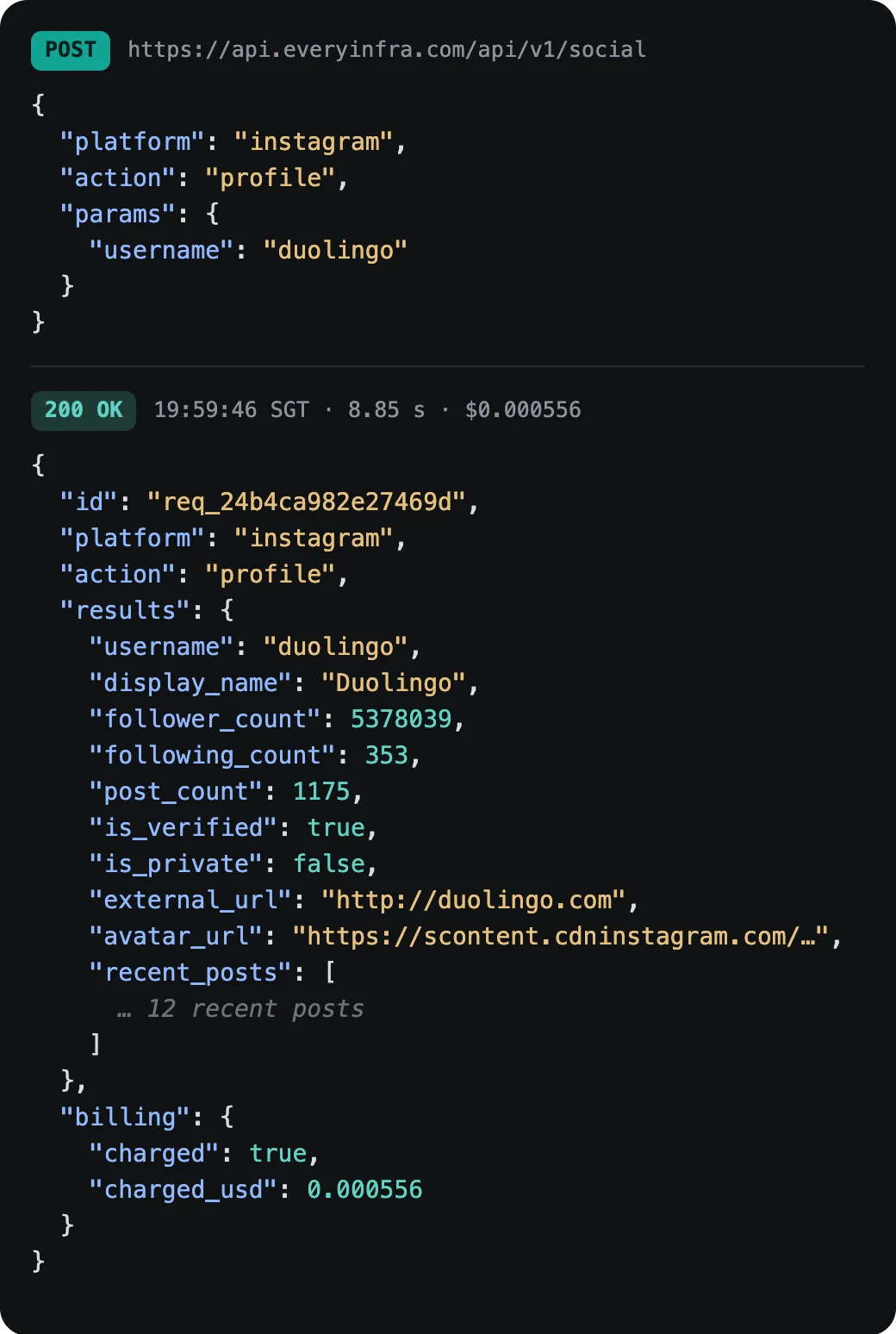
To get TikTok, Instagram, Amazon and RedNote (Xiaohongshu) data inside LobeHub, add one remote MCP server. Under Settings → Connectors, add an HTTP MCP server with the URL https://api.everyinfra.com/mcp and the header Authorization: Bearer <API key>. EveryInfra's LobeHub MCP Marketplace listing is ready and being submitted; once it is live you can install it from Community → MCP. On October 21, 2026, 18:41–18:46 UTC, we tested the same URL. Duolingo's TikTok profile came back in 17.49 seconds for $0.000556, and its Instagram profile in 14.21 seconds for $0.000556.
EveryInfra is a pay-per-call data API. One key covers 106 platforms, 573 data capabilities, 17 search tools and 52 CAPTCHA types, from $0.56 per 1,000 calls; failed and empty calls are not charged. TikTok, Instagram, Amazon and YouTube, plus RedNote, Douyin, Taobao and JD, all run on the same key and the same account.
Two ways to add an MCP server in LobeHub
From LobeHub's own MCP Marketplace guide:
- Install from the marketplace. Open the entry in Community → MCP and select Install MCP Server. Enter the URL, API key or environment variables when asked, then enable the connector for your agent. Each card shows a grade, installs, capabilities (tools, prompts, resources) and whether it runs locally, in the cloud or both.
- Add it by hand. If a server is not listed, open Settings → Connectors. For an HTTP server, enter the URL and add authentication or headers. STDIO servers run local commands and currently work on desktop only.
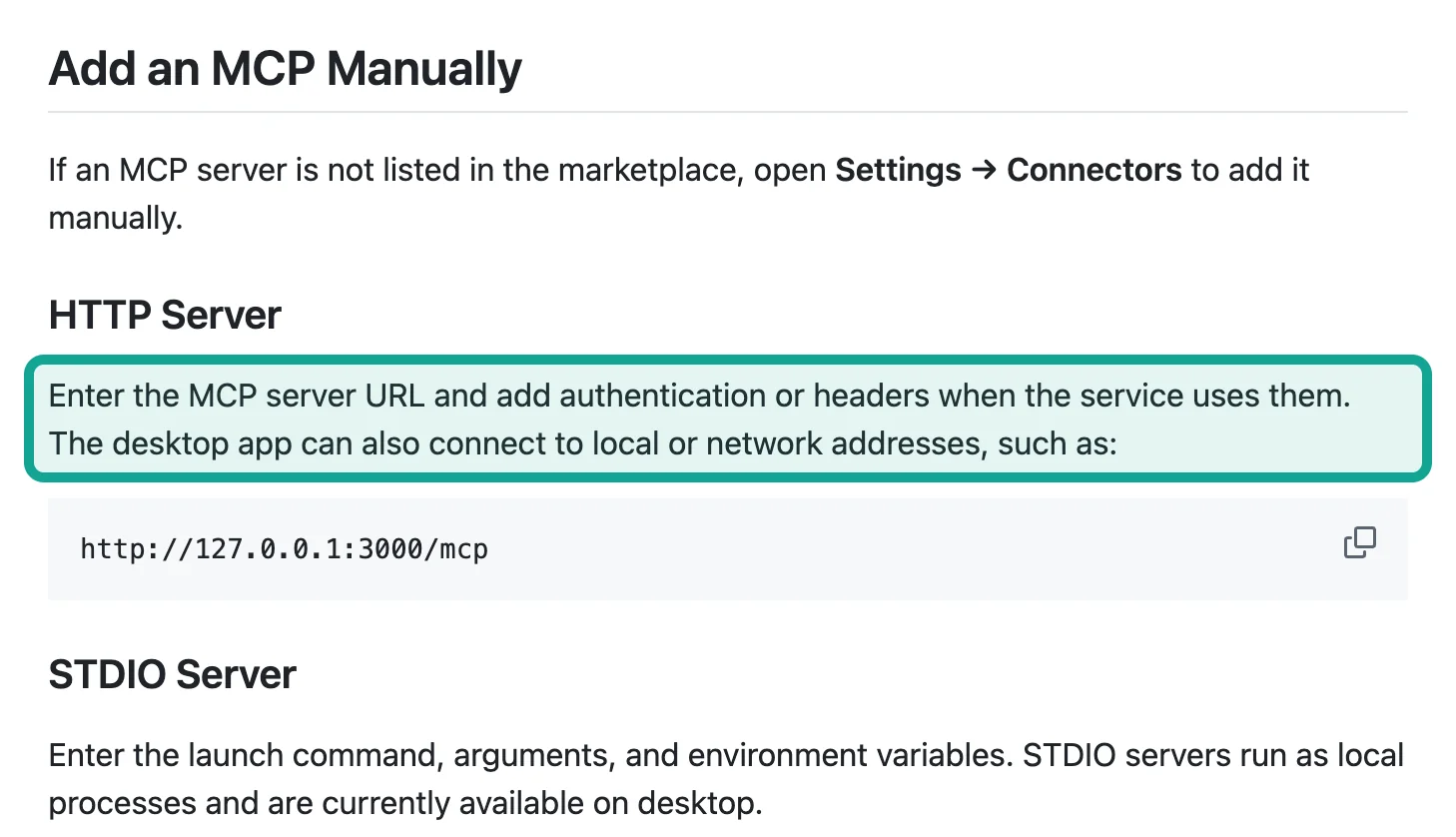
EveryInfra is a remote HTTP server, so it works in the web app and on desktop with nothing to install locally.
What our listing contains
Publishing to LobeHub goes through the lhm CLI (npm package @lobehub/market-cli, Node.js 22 or later). lhm plugin init --url connects to the server and drafts the manifest. The publisher then runs lhm login and lhm github connect, each a one-time browser approval, and finally lhm plugin publish. LobeHub's guide states there is no token-only publish path (LobeHub publishing guide). Our lhm.plugin.json is generated and waiting on that sign-in:
- Identifier:
everyinfra, fixed after the first publish. - English name: EveryInfra: TikTok, Instagram, Amazon & SERP Data.
- Chinese name: a separate zh-CN entry that leads with RedNote, Douyin, Taobao and JD. English is the source text and other languages are machine-translated, but owner-written locales are never overwritten (manifest reference).
- Capabilities: 25 tools, 7 prompt templates and 5 reference resources, all read from the live server by
init. The templates include ready flows such as "find products on Douyin", "read Xiaohongshu notes and their comments", "compare prices across marketplaces" and "job listings and salaries". - Tags: 12, including tiktok, instagram, amazon, youtube, web-scraping and serp-api.
The marketplace already lists servers for Chinese platforms, such as Bilibili MCP, which runs locally and shows 216 installs. EveryInfra differs in that it runs in the cloud and needs nothing on your machine.
Test log: one URL, 10 requests
Costs come from each response's billing object and were matched call by call with everyinfra_requests.
- Discovery, no key.
tools/listtook 0.18–0.25 s and returned 25 tools;prompts/listtook 0.17 s with 7 templates;resources/listtook 0.11 s with 5 resources. All free. These three lists are what LobeHub shows as a server's tools, prompts and resources. - TikTok profile for duolingo: 17.49 s, $0.000556. 18.3 million followers, 505.6 million likes, 1,207 videos, verified, 16 fields.
- Instagram profile for duolingo: 14.21 s, $0.000556. 5,371,352 followers and 1,172 posts.
- RedNote search for "LobeHub": 7.84 s, $0.005556, 20 notes. Eight mention LobeHub in the title or text, and five were posted after September 1.
- RedNote note details for one of them, a post about finding a Chinese research-database MCP server on LobeHub (author withheld): 2.34 s, $0.005556, 23 fields. 258 likes, 437 saves, 21 comments, 129 shares, posted April 11, 2026.
- Wrong parameter. An Instagram call with
userinstead ofusernamereturnedmissing_paramin 0.12 s and named the required parameter. No charge.
| Request | Time | Charge | Result |
|---|---|---|---|
tools/list / prompts/list / resources/list (no key) | 0.18–0.25 s / 0.17 s / 0.11 s | Free | 25 tools / 7 templates / 5 resources |
| TikTok profile, duolingo | 17.49 s | $0.000556 | 18.3 million followers, 1,207 videos |
| Instagram profile, duolingo | 14.21 s | $0.000556 | 5,371,352 followers, 1,172 posts |
| RedNote search, "LobeHub" | 7.84 s | $0.005556 | 20 notes; eight mention LobeHub |
| RedNote note details | 2.34 s | $0.005556 | 23 fields: 258 likes, 437 saves |
Wrong parameter (user) | 0.12 s | No charge | missing_param, names username |
Four calls were charged, $0.012224 in total. Two takeaways. Profile lookups take 14–18 seconds because they fetch a live page, so ask for several accounts in one message and let the agent run them in turn. On RedNote, sort by saves as well as likes: in this page of 20, five notes had more saves than likes, and all five were tool picks or how-tos.
Add EveryInfra by hand: 5 steps
- Create an API key in the console (quickstart). For data only, limit the key to the data product line and set a per-minute cap.
- Open connector settings. In LobeHub go to Settings → Connectors, add an MCP server and choose HTTP.
- Enter the URL and header. URL
https://api.everyinfra.com/mcp; header nameAuthorization, valueBearerfollowed by your key, with one space. LobeHub advises keeping keys in the connector's authentication settings rather than in chat (connectors guide). - Enable it for an agent and set permissions. In Agent Settings → Connectors, select EveryInfra and set each tool to Allow, Ask or Deny. A sensible start: Allow for
everyinfra_list_capabilities,everyinfra_call_apiandeveryinfra_get_job; Deny for tools that create or delete keys or set webhooks. - Ask. For example: "Get the TikTok and Instagram profiles for duolingo, nike and spotify and compare followers in a table."
When the marketplace listing goes live, steps 2 and 3 become: search EveryInfra in Community → MCP, select Install and paste your key.
Errors and charges
- Missing, invalid or disabled key:
unauthorized, no charge. A connector that shows as connected can list tools without a key; the first data call is the real check. - Wrong parameter name or value:
missing_param,unknown_paramor a similar message with valid options, no charge. - No data: an empty result; the reserved amount is returned.
- Capability temporarily unavailable or low balance: no charge.
Ask the agent "what did I spend this week?" or "was that last call charged?" and it will use the free everyinfra_usage and everyinfra_requests tools.
What weekly tracking costs
At the October 22 catalog prices (the pricing page is authoritative):
- TikTok profile details and Instagram profile details for 100 creators each, once a week: 4 weeks × 200 calls = 800 × $0.000556 = $0.44.
- One RedNote keyword search plus 30 note details a week: 124 calls × $0.005556 = $0.69.
- Total $1.13 a month. Failed and empty calls are not charged. Your LobeHub model costs are separate.
For a full creator-screening workflow, see TikTok creator data: profiles, videos, engagement rate.
Remote server or a local scraper MCP
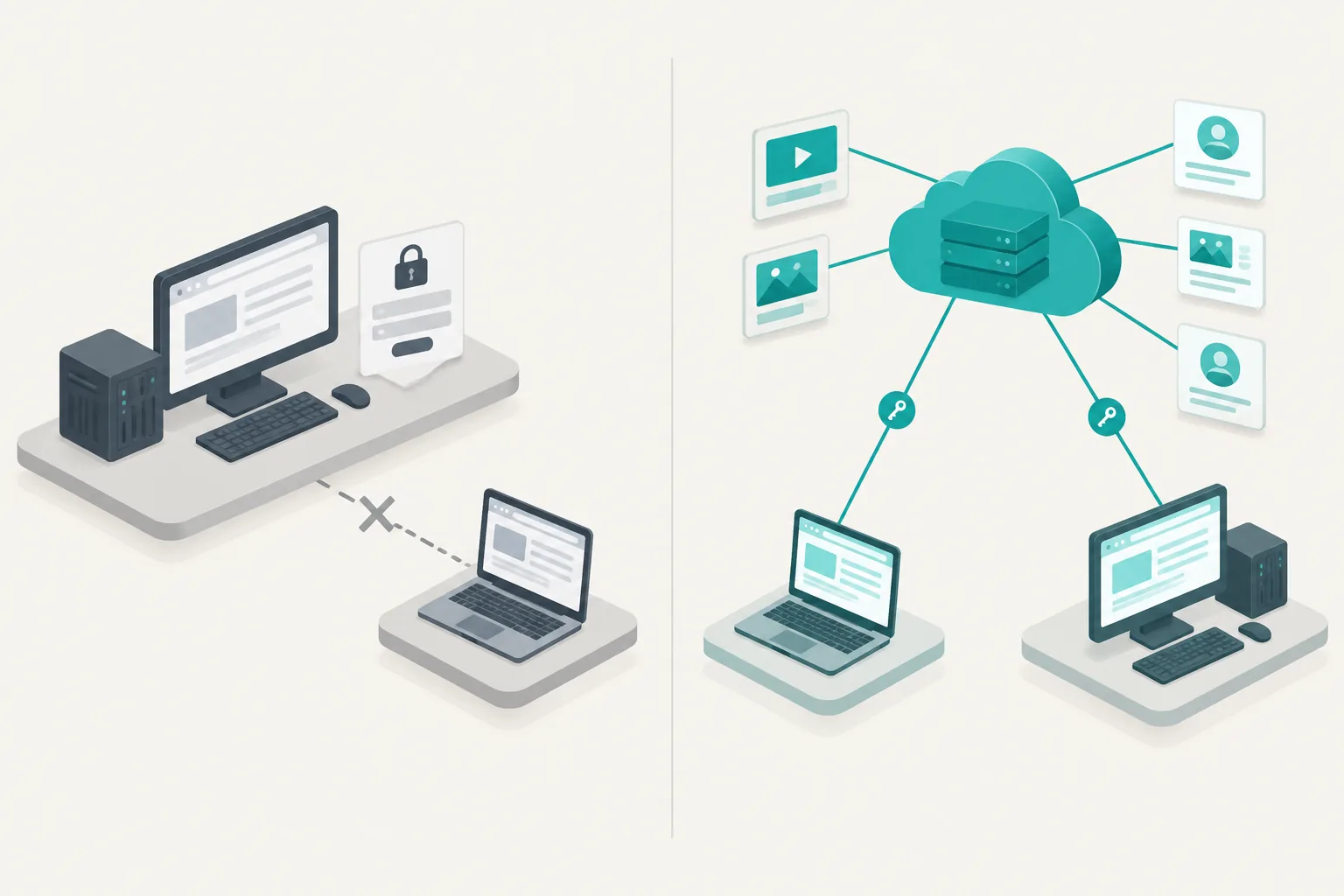
- Local (STDIO) servers run on your computer; many need a platform login or a local browser, and in LobeHub they work on desktop only.
- A remote server (this guide) works in the web app and on desktop, needs no TikTok, Instagram or RedNote login, only an EveryInfra key, and returns structured fields billed per call. It covers the capabilities in its catalog; for other sites, use the search tools.
Field lists for each platform are on the TikTok Scraper API and Instagram Scraper API pages.
What changed in September and October 2026
- October 18: LobeHub v2.2.20. Adding an agent now installs the Market skills it references, and credentials are collected through a secure form (release notes). Shared agents that use MCP become easier to install, while each person still enters their own key.
- October 7: LobeHub v2.2.19. MCP OAuth token requests now use the registered client auth method, and installs finish inside workspaces (release notes).
- October 22, our observation: the LobeHub MCP Marketplace page lists 112,261 MCP servers (LobeHub MCP Marketplace). With that many entries, check whether a server runs locally or in the cloud, and whether it needs your platform login, before you install it.
- September 23: Cursor moved MCP tools to on-demand loading, which cut tokens by 46.9% in sessions that called an MCP tool (Cursor engineering blog). Clients are working on the "too many tools" problem; with EveryInfra, three of the 25 tools cover data lookups.
- Around September 23: Anthropic launched Claude Marketplace with more than 2,000 connectors and plugins at launch (as reported by gHacks); its directory submission portal opened September 25 (Claude article). The same remote MCP URL works the same way in LobeHub, Claude and Cursor.
FAQ
How do I add a remote MCP server in LobeHub? Open Settings → Connectors, add an MCP server of type HTTP, enter the URL and any required header, then enable it for an agent under Agent Settings → Connectors.
Is EveryInfra on the LobeHub MCP Marketplace yet? The listing is generated and being submitted. Until it is live, the manual setup above gives you the same 25 tools; we will update this post when it is published.
Do I need a TikTok, Instagram or RedNote login? No. You only need an EveryInfra API key, stored in LobeHub's connector settings.
Related reading
Reference LF-20