Cursor MCP for TikTok, Instagram & Amazon Data: Real Calls
The EveryInfra plugin is listed on Cursor Directory, and its Cursor Marketplace application is in progress. Three ways to install it, a log of real MCP calls with latency and cost, error meanings and a monthly cost example.
To pull public TikTok, Instagram and Amazon data into Cursor today, add https://api.everyinfra.com/mcp to Cursor's mcp.json with the header Authorization: Bearer <API key>. You can also install the EveryInfra plugin, which bundles that remote MCP server with 10 skills. The plugin has been listed on the community site Cursor Directory since October 21; our publisher application for Cursor's own Marketplace is in progress. On October 21, 2026, 18:42–18:45 UTC, we sent real requests to the plugin's URL with the plugin's header. Five TikTok videos took 9.04 seconds and cost $0.000556. Ten Amazon products took 33.88 seconds and cost $0.001389.
EveryInfra is a pay-per-call data API. One key covers 91 platforms, 426 data capabilities, 17 search tools and 52 CAPTCHA types, from $0.56 per 1,000 calls. Failed and empty calls are not charged. You do not write a TikTok scraper or an Amazon scraper, and you do not hand over any platform login.
Two plugin marketplaces, and where EveryInfra is
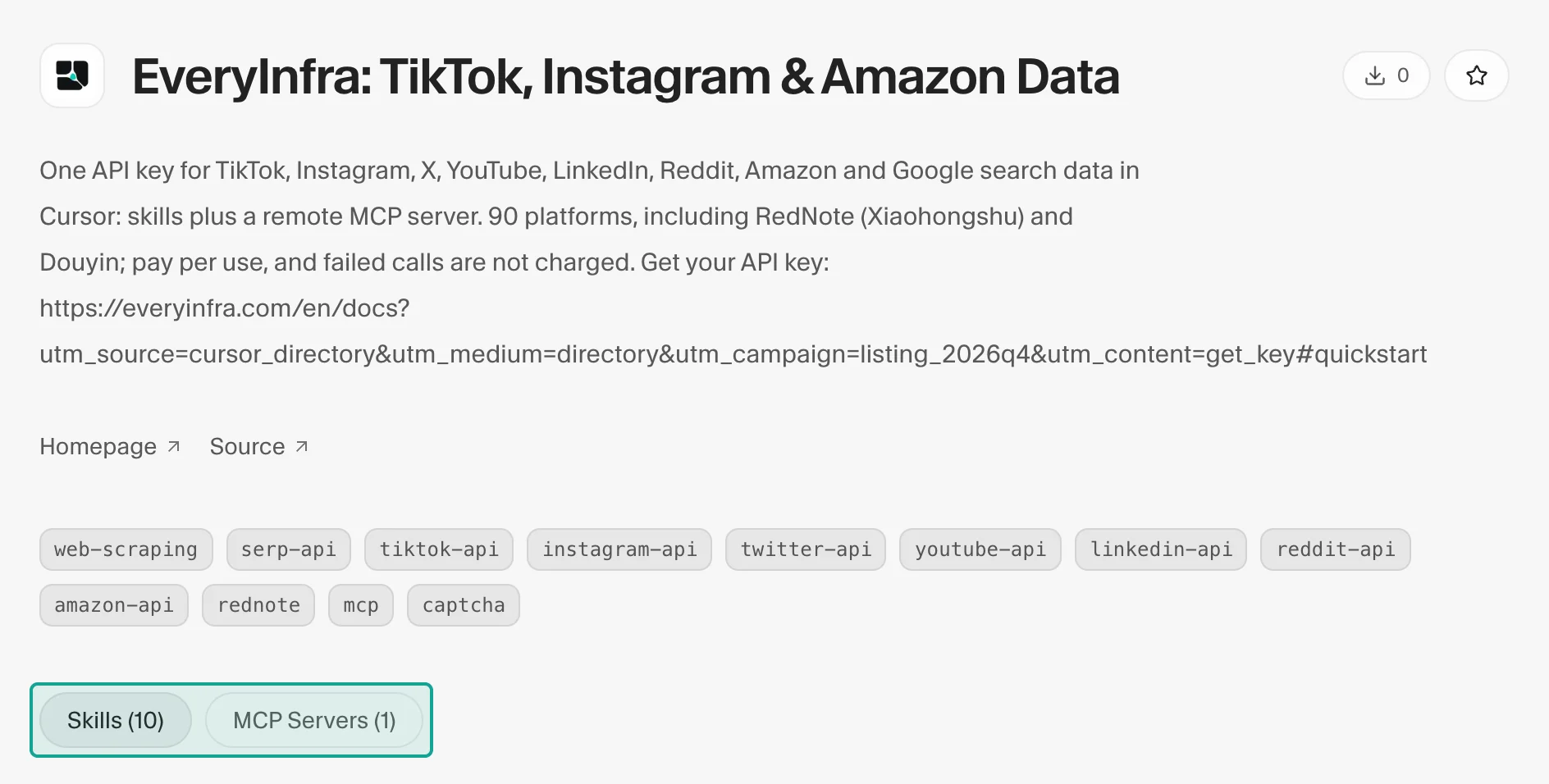
- Cursor Directory (cursor.directory) is the community directory. You sign in, paste a GitHub repository URL, and the site detects rules, MCP servers, skills and other components. A Cursor SDK agent then scans the plugin and rates it safe, suspicious or malicious (community directory repository). Our entry is "EveryInfra: TikTok, Instagram & Amazon Data". The page lists 10 skills and links to the homepage and the source repository.
- Cursor Marketplace (cursor.com/marketplace) is the catalog you can install from inside Cursor's Customize page. Every plugin must be open source and is reviewed by hand before listing. Each update is also reviewed; nothing syncs from the repository on its own (Marketplace security). Publishers sign in and apply at cursor.com/marketplace/publish. Our application is in progress; we will update this post when the listing goes live.
For a user, the difference is practical. From the Directory you install by following the steps below. From the Marketplace you click Install inside Cursor.
What the plugin contains
The plugin lives in everyinfra/everyinfra-agent-plugins. Release v0.4.0 (October 21 UTC) ships a Cursor manifest, .cursor-plugin/plugin.json, and a logo. The Cursor plugins reference allows rules, skills, agents, commands, MCP servers and hooks in one package. Ours uses two of them:
- One remote MCP server at
https://api.everyinfra.com/mcp. The header reads the variableEVERYINFRA_API_KEY. The manifest declares the variable name only and stores no key. - Ten skills. The data-related ones are everydata (discover and call capabilities), everyinfra-bulk-data-export (estimate calls and cost first, then paginate and deduplicate), everysearch (17 search tools) and everyinfra-crosscheck-research (check one factual claim). The rest cover the AI API, CAPTCHA solving, phone numbers, email and proxies.
The server exposes 25 tools. Three do most of the work: everyinfra_list_capabilities lists platforms, actions and parameters; everyinfra_call_api calls any data capability; everyinfra_get_job reads async results at no charge. It also offers 7 prompt templates, such as "which capability fits my task" and cross-marketplace price comparison, and 5 reference resources covering setup, use cases, the catalog summary, pricing and AI API rules.
Test log: one URL, 11 requests
| Request | Time | Charge |
|---|---|---|
tools/list, no key (3 requests) | 0.18–0.25 s | $0 |
| TikTok video search "cursor ai", 5 results | 9.04 s | $0.000556 |
| TikTok video details (36 fields) | 8.92 s | $0.000556 |
| Same video over REST | 13.26 s | $0.000556 |
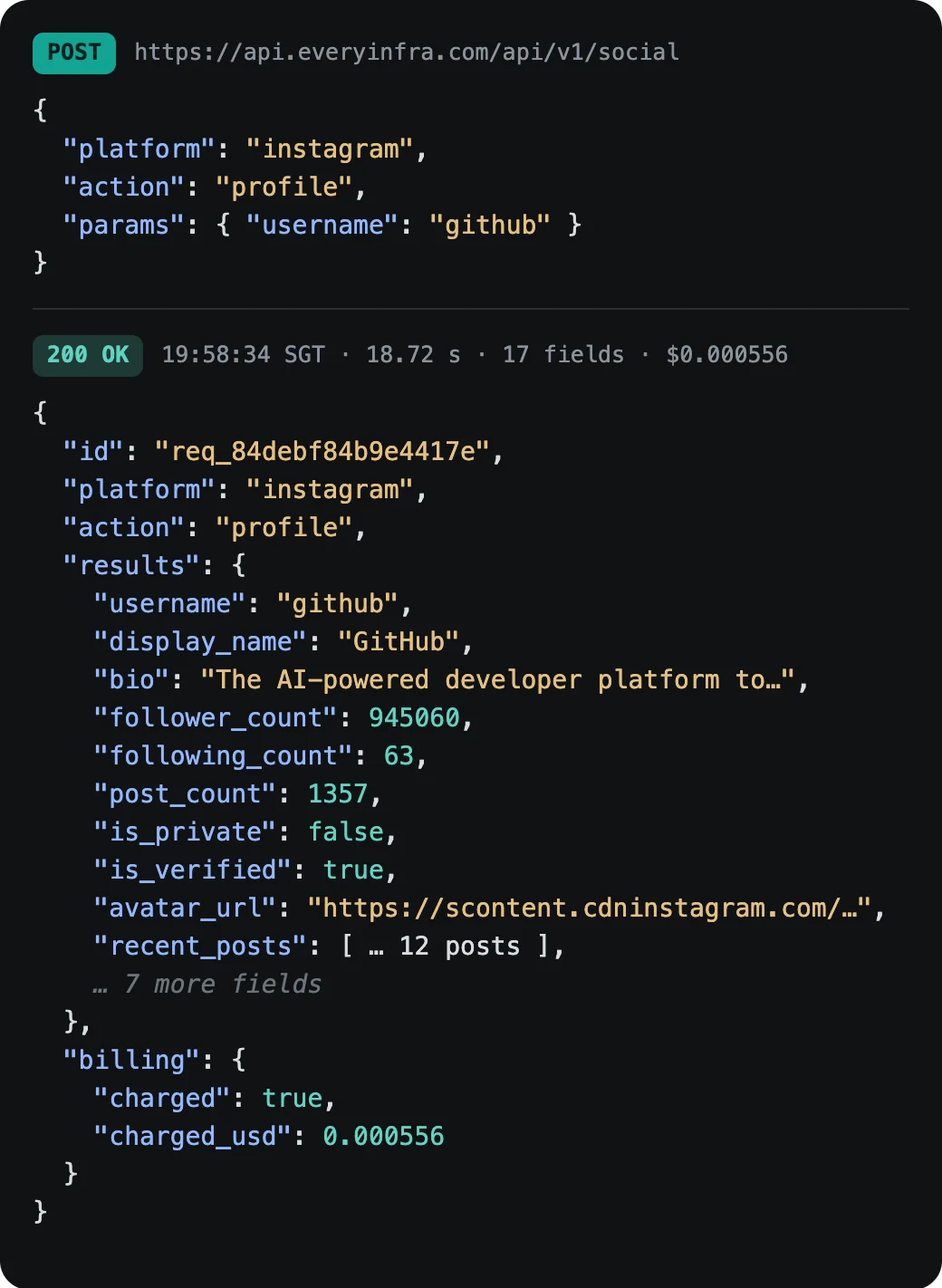
| Instagram profile github (17 fields) | 8.89 s | $0.000556 |
| Amazon search "mechanical keyboard", 10 products | 33.88 s | $0.001389 |
Same search with limit: 5 | 23.88 s | $0.001389 |
Wrong parameter name (user) | 0.12 s | $0 |
| Data call without a key | 0.18 s | $0 |
| Total, 11 requests | — | 6 charged, $0.005002 |
We did not time the Cursor interface. We sent MCP requests straight to the URL in the plugin config with the same header, and fetched one video over REST for comparison. Costs come from each response's billing object and were matched call by call with the everyinfra_requests tool.
- Tool discovery, no key. Three
tools/listrequests took 0.18–0.25 s and returned 25 tools. Listing tools, prompt templates and resources needs no key and costs nothing. - TikTok video search for "cursor ai", 5 results: 9.04 s, $0.000556. Views ranged from 325 to 19,000 (median 1,960). Three of the five were posted October 18–21. Each row has 33 fields, including
view_count,like_count,collect_count,hashtagsandposted_at. - TikTok video details for the most-viewed result (creator name withheld): 8.92 s, $0.000556, 36 fields. It had 19,000 views, 374 likes, 5 comments, 29 shares and 68 saves, and ran 10 seconds.
- Same video over REST (
POST /api/v1/social): 13.26 s, $0.000556. The 36 field names match the MCP result exactly, so parameters you test in Cursor work unchanged in a script. - Instagram profile for github: 8.89 s, $0.000556. 940,496 followers, 1,354 posts, verified, 17 fields.
- Amazon product search for "mechanical keyboard": 33.88 s, $0.001389, 10 products by default. Prices ran from $28.49 to $149.99 (median $57.49). Nine of ten had ratings, from 4.2 to 4.8, with 51 to 6,890 ratings each. With
limit: 5the same search returned 5 products in 23.88 s at the same price. - Wrong parameter name. An Instagram profile call with
userinstead ofusernamereturnedmissing_paramin 0.12 s and named the required parameter. The call is not in the billing ledger, so nothing was charged. - Data call without a key returned
unauthorizedin 0.18 s, with the header format and a sign-up link. Nothing was charged.
Six calls were charged, $0.005002 in total; the five discovery and error requests cost $0. Three takeaways. Whole-page product searches such as Amazon take around 30 seconds, so batch jobs should use async mode. The MCP and REST paths return identical fields for the same capability. Parameter errors come back in about a tenth of a second with a readable fix, and Cursor's agent usually corrects the call on its own; see API error handling.
Install it in Cursor: three ways
First create an API key in the console (quickstart). For data only, limit the key to the data product line and set a per-minute cap.
Option 1: add it to mcp.json (works now, on every plan)
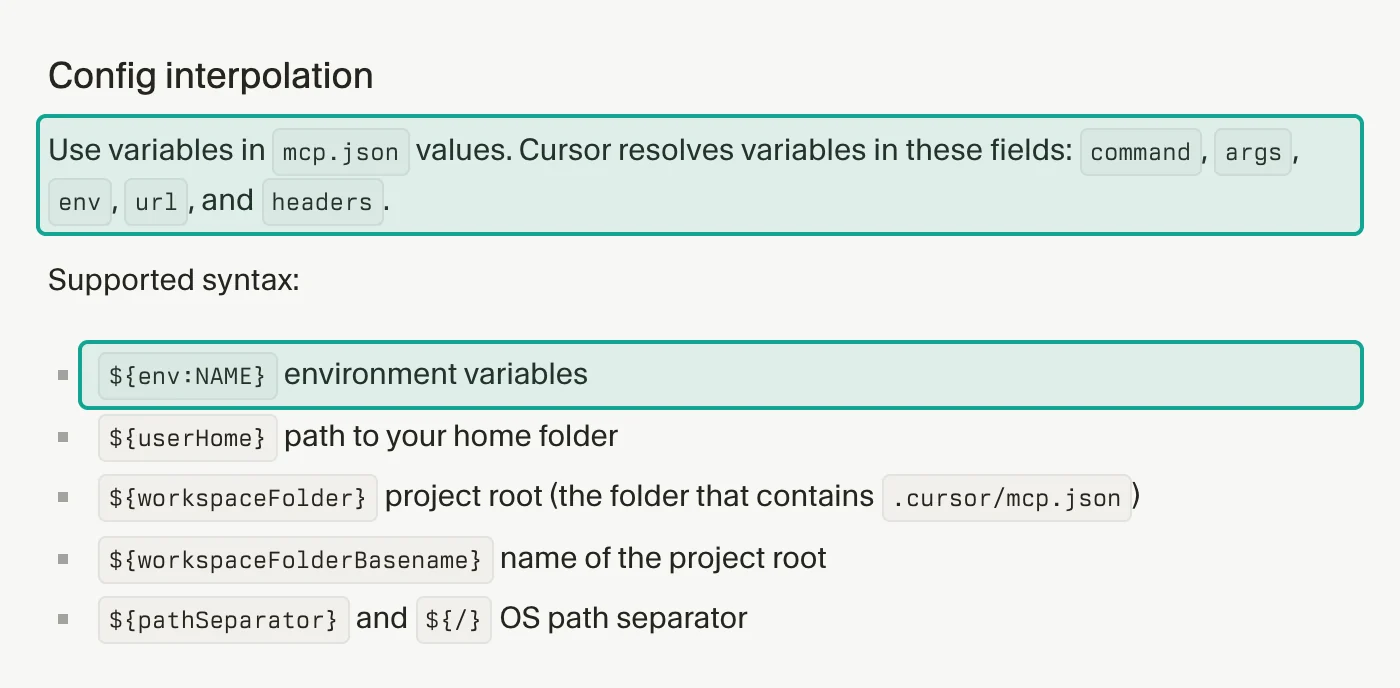
Add an entry to .cursor/mcp.json in a project or to ~/.cursor/mcp.json. Cursor resolves ${env:NAME} in url and headers (Cursor MCP docs), so the key stays in your environment and the file is safe to commit:
{
  "mcpServers": {
    "everyinfra": {
      "url": "https://api.everyinfra.com/mcp",
      "headers": { "Authorization": "Bearer ${env:EVERYINFRA_API_KEY}" }
    }
  }
}
Check that everyinfra is on in Customize. Then ask: "Find 5 recent TikTok videos about cursor ai, sort by views and show the posting dates in a table." By default Cursor asks before each MCP tool call; open the arrow next to the tool name to see the arguments.
Option 2: load it as a local plugin (adds the 10 skills)
- Clone the repository and copy the whole
plugins/everyinfrafolder to~/.cursor/plugins/local/everyinfra. Copy it; Cursor skips symlinks that point elsewhere. - Restart Cursor or run Developer: Reload Window.
- Open Customize and check that the everyinfra MCP server and 10 skills appear.
- Per Cursor's docs, plugin variable values are set under Plugins → Configure. Set
EVERYINFRA_API_KEYto your key.
Enterprise plans turn local plugin imports off by default. An admin enables Allow Local Plugin Imports under Dashboard → Settings → Security & Identity (Cursor plugins docs).
Option 3: distribute it through a team marketplace (Teams and Enterprise)
An admin opens Dashboard → Plugins & MCPs, selects Add Marketplace, then Import from Repo, and pastes https://github.com/everyinfra/everyinfra-agent-plugins. Cursor reads .cursor-plugin/marketplace.json at the repository root. The admin then sets the install mode to Default Off, Default On or Required. The Teams plan allows one team marketplace.
All three options reach the same server and bill the same EveryInfra account. If a team shares one key, every member's calls bill that account.
Errors and charges
- Missing, invalid or disabled key:
unauthorized, no charge. - Wrong parameter name or value:
missing_param,unknown_paramor a value error with valid options and an example, no charge. - No data: an empty result; the reserved amount is returned.
- Capability temporarily unavailable: marked as unavailable, no charge. Live status is on the status page.
- Low balance: a top-up prompt, no charge.
To estimate cost before a run, ask the agent to call everyinfra_list_capabilities for current prices. To check afterwards, ask it to call everyinfra_requests or everyinfra_billing. Both are free.
What daily monitoring costs
At the October 22 catalog prices (the pricing page is authoritative):
- TikTok video search, 20 keywords once a day for 30 days: 600 calls × $0.000556 = $0.33.
- Amazon search for the same 20 keywords: 600 calls × $0.001389 = $0.83.
- Instagram profile details for 50 brand accounts once a week: 200 calls × $0.000556 = $0.11.
- Total $1.28 a month. Failed and empty calls are not charged, so the real figure can only be lower. Your Cursor plan is billed separately.
Remote MCP, your own scraper or a local server
- Your own scraper means proxies, sessions, challenges and layout changes. It fits teams that need custom fields at high volume and can maintain the code.
- A local stdio server runs a browser or script on your machine. It fits local files and intranet pages, and Cursor's docs suggest running sensitive servers locally.
- A remote MCP server (this guide) needs nothing installed, returns structured fields and bills per call. It covers the capabilities in its catalog; for other sites you use the crawl and read tools in search.
To see every capability and field per platform, start with the TikTok Scraper API and the Amazon product and reviews Data API. For a full creator-screening workflow, read TikTok creator data: profiles, videos, engagement rate.
What changed in September and October 2026
- October 13: Cursor opened its Origin App Marketplace to public submissions, launching with more than 20 apps for deployments, CI, code review, security and monitoring (Cursor changelog). It is for apps that plug into Origin repositories through webhooks and is separate from plugins. MCP and skill authors still apply through marketplace/publish.
- September 23: Cursor explained how it cut agent token use. MCP tools now load into context only when needed. In sessions that called an MCP tool, this cut total tokens by 46.9%. Overall token cost fell 7% (Cursor engineering blog). For a server with 25 tools, a large tool list no longer fills the context on every turn.
- September 12: a census of the full MCP Registry counted 21,643 servers and 72,606 version records in an August 2026 snapshot. Among servers with several versions, 51.1% changed the tools they advertise between versions, and 40.6% did so without notice (arXiv 2609.14119). The Cursor Marketplace reviews each plugin update by hand; the community directory relies on an automated scan. Before you install a community plugin, read its manifest and skill files.
- September 10: Cursor launched Projects in beta. A coordinator agent splits work across subagents and can start on a schedule or from a Slack channel (Cursor changelog). Long-running agents call data tools many times, so for large requests pass
"mode": "async"and read thejob_idresult with the freeeveryinfra_get_job. - Background: Agent Plugins 1.0.0. On August 6, Amazon, Cursor, Microsoft, OpenAI and Vercel published an open standard with one folder layout for skills and MCP servers (agent-plugins.org). Cursor loads both that format and its own, so one repository can serve several clients.
FAQ
Is there a web scraping MCP server for Cursor that needs no local browser? Yes. A remote MCP server such as EveryInfra runs on the provider's side; you add one URL and a key, with no browser or scraper on your machine. Discovery is free and each data call is billed per call.
Are Cursor Directory and Cursor Marketplace the same thing? No. The Directory is a community site with an automated scan, so listings go public quickly. The Marketplace is reviewed by Cursor and installs from Customize. EveryInfra is on the Directory and has applied to the Marketplace; until then the mcp.json setup above gives you the same tools.
Do I need a TikTok, Instagram or Amazon account or cookies? No. You only need an EveryInfra API key, kept in an environment variable or a plugin variable, never in chat or in the repository.
Related reading
Reference LF-19